
Gantry Examples: Difference between revisions
mNo edit summary |
mNo edit summary |
||
| (9 intermediate revisions by the same user not shown) | |||
| Line 5: | Line 5: | ||
<div style="clear:both;" /div> | <div style="clear:both;" /div> | ||
= Glueing = | = Glueing = | ||
[[File:GlueExample2Area.MP4|thumb|300px|link=CPRog_Examples#Glue_Application]] | [[File:GlueExample2Area.MP4|thumb|300px|link=CPRog_Examples#Glue_Application|[[CPRog_Examples#Glue_Application | Glue Application]]]] | ||
This program shows, how to make a basic glueing application. | This program shows, how to make a basic glueing application. | ||
:[[CPRog_Examples#Glue_Application | Glueing Application]] | :[[CPRog_Examples#Glue_Application | Glue Application]] | ||
<div style="clear:both;" /div> | |||
= Arrange = | |||
[[File:Assemble_Screw_Endeffector.jpg|thumb|300px|link=Assemble Stacking Application]] | |||
This 2-part application first picks and stacks two components and then screws them together in the next part. | |||
:[[Assemble Stacking Application]] | |||
<div style="clear:both;" /div> | |||
= Parallel Picking = | |||
[[File:ParallelPicking_Setup.JPG|thumb|300px|link=Parallel Picking Application]] | |||
This pick & place application shows, how some creativity can solve issues with imperfect picking. | |||
:[[Parallel Picking Application]] | |||
<div style="clear:both;" /div> | |||
= Part Alignment = | |||
[[File:PartAlignment_Setup_close.JPG|thumb|300px|link=Part Alignment Application]] | |||
In this application a work piece analyzed for orientation and manipulated until it is aligned properly. | |||
It does not only fix the planar rotation, but also checks, if it is upside down. | |||
:[[Part Alignment Application]] | |||
<div style="clear:both;" /div> | |||
= Pen Glueing = | |||
[[File:PenGlueing_Setup.JPG|thumb|300px|link=Pen Glueing Application]] | |||
This is a straight forward application for marking complex shapes with a glueing pen. | |||
:[[Pen Glueing Application]] | |||
<div style="clear:both;" /div> | |||
= Pick and Place Stack = | |||
[[File:PickAndPlaceStack_Result.JPG|thumb|300px|link=Pick and Place Stack Application]] | |||
This gantry picks metal rails and stacks them on top of each other. | |||
:[[Pick and Place Stack Application]] | |||
[[Category:Gantry]] | |||
Latest revision as of 08:13, 26 March 2026
Here you can find some example applications for Gantry robots.
Feel free to use them as a starting point for your own program!
Glueing
This program shows, how to make a basic glueing application.
Arrange
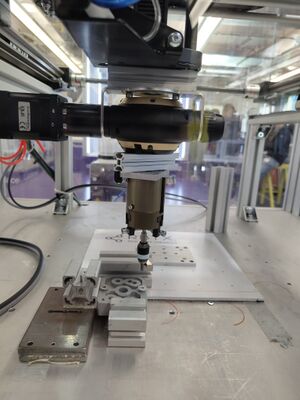
This 2-part application first picks and stacks two components and then screws them together in the next part.
Parallel Picking
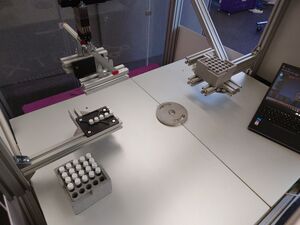
This pick & place application shows, how some creativity can solve issues with imperfect picking.
Part Alignment
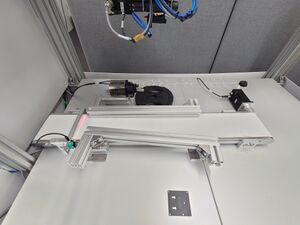
In this application a work piece analyzed for orientation and manipulated until it is aligned properly. It does not only fix the planar rotation, but also checks, if it is upside down.
Pen Glueing
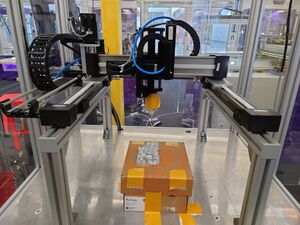
This is a straight forward application for marking complex shapes with a glueing pen.
Pick and Place Stack
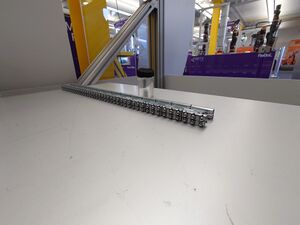
This gantry picks metal rails and stacks them on top of each other.