
General Examples: Difference between revisions
mNo edit summary |
mNo edit summary |
||
| (3 intermediate revisions by the same user not shown) | |||
| Line 10: | Line 10: | ||
:[[Dispensing_Applications | Dispensing Application]] | :[[Dispensing_Applications | Dispensing Application]] | ||
<div style="clear:both;" /div> | |||
= Moving via Modbus = | |||
[[File:TitleScreenModbus small.JPG|thumb|300px|link=Moving_Robots_via_Modbus|[[Moving_Robots_via_Modbus | Moving via Modbus]]]] | |||
How to move your robot via Modbus. | |||
:[[Moving_Robots_via_Modbus | Moving via Modbus]] | |||
<div style="clear:both;" /div> | |||
= Defining paths via CAD = | |||
[[File:Screen01_Workpiece.png|thumb|300px|link=Definition_of_a_DXF_file_in_SolidWorks|[[Definition_of_a_DXF_file_in_SolidWorks | Definition of a DXF file in SolidWorks]]]] | |||
The path and point sequence commands move the robot along a path defined by a DXF or CSV file. At each start and end of a path segment or point the tool can be lowered and lifted or enabled by a digital output. [[Definition of a DXF file in SolidWorks]] explains how to create a path and load it into iRC. | |||
<div style="clear:both;" /div> | |||
= Glueing and Dispensing = | |||
Glueing and dispensing requires different optimizations than pick and place applications. The article [[Dispensing Applications]] shows two approaches using the path command and basic motion commands to follow a path and enable a digital output for the dispenser. | |||
<div style="clear:both;" /div> | |||
= Palletizing and Error Recovery = | |||
The article [[Matrix Palletizing and Error Recovery]] explains how palletizing applications can be programmed using matrix commands. The example handles restarting the position on the pallet on error and starting the pallet at any index. | |||
<div style="clear:both;" /div> | |||
= Circular Curves = | |||
[[Circular Motion]] explains how to move along circular curves complete circles. | |||
<div style="clear:both;" /div> | |||
= Program Structure = | |||
The article [[Structured Programming]] explains how to use sub programs and matrices to create a clean program structure. | |||
[[Category:CPRog]][[Category:Robot Programming]] | |||
Latest revision as of 06:43, 16 October 2025
Here you can find some example applications for everything that is not directly associated to a robot.
Feel free to use them for your own program!
Dispensing Application
General example for dispensing applications.
Moving via Modbus
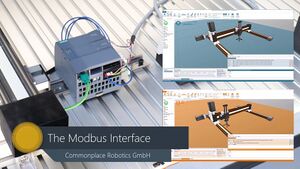
How to move your robot via Modbus.
Defining paths via CAD
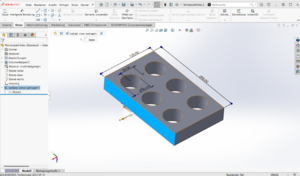
The path and point sequence commands move the robot along a path defined by a DXF or CSV file. At each start and end of a path segment or point the tool can be lowered and lifted or enabled by a digital output. Definition of a DXF file in SolidWorks explains how to create a path and load it into iRC.
Glueing and Dispensing
Glueing and dispensing requires different optimizations than pick and place applications. The article Dispensing Applications shows two approaches using the path command and basic motion commands to follow a path and enable a digital output for the dispenser.
Palletizing and Error Recovery
The article Matrix Palletizing and Error Recovery explains how palletizing applications can be programmed using matrix commands. The example handles restarting the position on the pallet on error and starting the pallet at any index.
Circular Curves
Circular Motion explains how to move along circular curves complete circles.
Program Structure
The article Structured Programming explains how to use sub programs and matrices to create a clean program structure.