|
|
| (4 intermediate revisions by 2 users not shown) |
| Line 1: |
Line 1: |
| __NOTOC__
| | {{Main page}} |
| {{DISPLAYTITLE:<span style="position: absolute; clip: rect(1px 1px 1px 1px); clip: rect(1px, 1px, 1px, 1px);">{{FULLPAGENAME}}</span>}} | | <!-- |
| <!--__NOTOC__ BANNER ACROSS TOP OF PAGE --> | | -- To edit what appears on this page, |
| {| id="mp-topbanner" style="width:100%; margin:1.2em 0 6px 0; border:1px solid #50798a;"
| | -- please see [[Template:Main_page]] |
| | style="width:48%;" |
| | --> |
| <!-- "WELCOME TO CPR wiki AND ARTICLE COUNT -->
| |
| {| style="border:none; background:none;"
| |
| | style="text-align:center;" |
| |
| <div style="font-size:162%; border:none; margin:0; padding:.1em; font-weight: bold">Welcome to the Robotics Wiki</div>
| |
| <div style="color: grey; font-size:162%; border:none; margin:0; padding:.1em;">Tools, tips, and troubleshooting</div>
| |
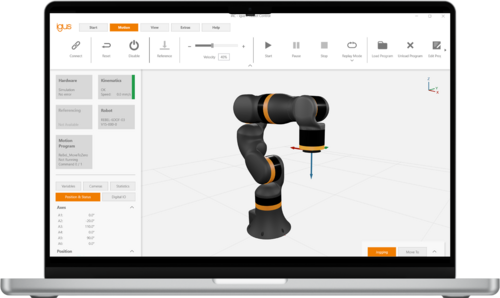
| Commonplace Robotics and igus GmbH are working closely together to develop an intuitive robot control software.
| |
| |}
| |
| <!-- PORTAL LIST ON RIGHT-HAND SIDE -->
| |
| | style="width:13%; font-size:95%;" |
| |
| * [[:Category:CPRog|CPRog/iRC Software]]
| |
| * [[:Category:ModuleCtrl|ModuleCtrl]]
| |
| | style="width:13%; font-size:95%;" |
| |
| * [[:Category:robolink|robolink arm]]
| |
| * [[:Category:Mover|Mover arm]]
| |
| | style="width:13%; font-size:95%;" |
| |
| * [http://www.cpr-robots.com/ CPR Robots]
| |
| * [http://www.github.com/CPR-Robots git repositories]
| |
| | style="width:13%; font-size:95%;" |
| |
| * '''[[Special:AllPages|All pages]]'''
| |
| * '''[[:Category:Downloads|Downloads]]'''
| |
| |}
| |
| | |
| = igus ReBeL =
| |
| * [[igus ReBeL]] software, documentation and troubleshooting
| |
| | |
| = iRC - igus Robot Control Software =
| |
| * [[Software_Updates|Software Downloads]]
| |
| * [[Documentation|Documentation and User Guides]]
| |
| * [[:Category:Robot Programming|Programming Examples and additional information]]
| |
| * [[:Category:Configuration|Configuration]]
| |
| * [[Configuration Files Overview]]
| |
| | |
| = igus robots and gantries =
| |
| * [[Referencing robolink]]: Referencing the robolink arm
| |
| * Write your first [[CPRog Examples|first motion program in CPRog/iRC]]. - Also have a look at the [[#Programming_environment_CPRog/iRC|CPRog/iRC section below]].
| |
| * [[Digital Inputs / Outputs]]: How to connect gripper, sensors, ...
| |
| ** [[How to operate a vacuum gripper using CPRog and the Modular Control Electronics|How to operate a vacuum gripper]]
| |
| ** How to add [[Additional DIO-Modules]]
| |
| ** How to add [[Additional DIO-Boards of the DCi Control Electronics]]
| |
| ** [[How to operate an electrical parallel gripper using CPRog and the Modular Control Electronics|How to operate an electrical parallel gripper]]
| |
| * [[Motor Brake]]: How to configure the control for a motor brake
| |
| * [[External Axis]]: How to add an additional external axis to e.g. a gantry robot:
| |
| * [[Set up, testing of single joints]]: '''Advanced!''' How to connect the robot with the control electronics, how to test single joints
| |
| * [[Define the zero position offsets]]: '''Advanced''' How to find and set the robot specific zero position offsets
| |
| * [[DCi quickstart guide]]: Quick start guide for DCi robolink robots.
| |
| * [[DCi upgrade guide]]: How to upgrade the TinyCtrl software running on the embedded control electronics of the DCi robot
| |
| | |
| = AMR - Autonomous Mobile Robots =
| |
| | |
| * [[AMR Documentation]]: Documentation and software updates for the CPR Mobile Platforms
| |
| | |
| = iRC Electronics for Stepper Motors =
| |
| * [[External_Axis|Adding additional axes]]
| |
| * Configuration and test software [[Config_Software_ModuleCtrl|ModuleCtrl Open Loop]]
| |
| * Configuration: [[Firmware_Parameter_Configuration|firmware parameters V1]]
| |
| * [[Set_up,_testing_of_single_joints|Set up and testing of single joints]]
| |
| | |
| = iRC Electronics for BLDC Motors =
| |
| * Configuration and test software [[Config_Software_ModuleCtrl|ModuleCtrl Closed Loop]]
| |
| * Configuration: [[Firmware_Parameter_Configuration|firmware parameters V2]]
| |
| * [[Rebel_Joint|ReBeL Joint]]: Documentation for the set up of single Rebel joints
| |
| | |
| = How to interface with the robots =
| |
| | |
| * [[Control Interfaces]]: Summary of all PC/PLC control interfaces
| |
| ** [[Camera]]: How to integrate a camera system; different options are shown
| |
| ** [[Modbus_Server]]: Using the Modbus TCP interface to communicate with a PLC, e.g. Siemens S7
| |
| ** [[PLC Interface]]: Using digital Inputs / Outputs the robot can be controlled (enable, start, stop, ..) by a master PLC
| |
| ** [[CRI Ethernet Interface]]: Connect via network connection. Find documentation and example code here
| |
| * [https://github.com/CommonplaceRobotics/CRI-Python-Lib/ CRI-Python-Lib]: a python libary that allows the fast and simple access to the robot control via ethernet using the CRI interface
| |
| * [[CAN Protocol]]: Write your own robot control software that directly sends commands to the CAN bus. Documentation and example code
| |
| * [[ROS packages]]: Integrate the robots into your ROS environment. Documentation and packages for hardware communication, teleop and moveIt
| |
| * [[DH Parameter]]: Some information on Denavit-Hartenberg parameterI
| |
| | |
| = Firmware configuration and diagnostics =
| |
| | |
| * [[Firmware Parameter Configuration]]: The motor controller firmware can be configured using CPRog/iRC
| |
| * [[Config Software ModuleCtrl]]: This software diagnosis and set-up tool allows to test single joints and set firmware parameters of the control electronics.
| |
| * [[Configuration for a linear Axis]]: Test and adapt the motor modules to run with a linear axis
| |
| * CAN Bus monitor for Windows: [https://www.peak-system.com/fileadmin/media/files/pcanview.zip PCAN View]
| |
| * [[Motor Current Parameter]]: Measurements on the relation between motor current, torque and velocity
| |
| | |
| = Troubleshooting and Support =
| |
| * [[Troubleshooting|Systematic Troubleshooting]]: Fault identification and recovery.
| |
| * [[Robot Hardware Troubleshooting]]: what to do when the arm does not react as expected?
| |
| * [[CPRog Software Troubleshooting]]: tips how to deal with the CPRog/iRC programming/robot control environment
| |
| * [[Operating the Mover gripper using custom software]]: how to open and close the gripper using custom software
| |
| * [[Referencing the Mover Robot Arm]]: what to do, when the position of the virtual an the real robot does not match
| |
| * [[Fix a display with graphics errors]]
| |
| * [[Support Routes]]
| |
| | |
| = Legacy Mover and CPRog =
| |
| * [[Software Updates]] Download the up-to-date version of the programming environment and current user guides / manuals
| |
| * [[Documentation]] in EN and DE
| |
| * [[Changing Robot Parameters]]: Many robot parameters like joint max velocities or software end switches can be adapted to your needs.
| |
| * 2D Camera Integration: The [[Konfiguration]] pages shows how to integrate e.g. a smart camera
| |
| * [[CPRog Examples]]: Example programs in CPRog/iRC
| |
| * [[Gearplay Compensation]]: Use CPRog/iRC to compensate backlash in joint 1
| |
| * [[Logic Program]]: Run a second program in parallel to a [[CPRog Examples|custom CPRog/iRC program]] to define logic functions
| |
| * [[Bounding Box / Virtual Box]]: How to use the bounding box in CPRog to avoid collisions by limiting the movement of the robot.
| |
| * [[Acceleration and Motion Smoothing]]: What does the smooth parameter in the CPRog/iRC Program Editor do? Smooth changes of direction!
| |
| * [[Consistency Check]] between CPRog/iRC, the program and the connected robot: What does it do and how to handle it
| |
| | |
| = Legacy Embedded Control Software TinyCtrl =
| |
| * [[Connect DCi Robot/TinyCtrl to a Laptop via LAN]]: Instructions on establishing a connection between a windows PC and the embedded Control of e.g. a DCi Robot.
| |
| * [[Software Updates]]: Download the most recent version of the embedded robot control software and current user guides / manuals
| |
| * [[Configure for a different robot]]: How to configure a robot control for a different kinematic
| |
| * [[FTP and putty Access]]: How to change parameter or files using FileZilla and putty
| |
| * [[Change the TinyCtrl Project]]: Change the TinyCtrl project file e.g. to switch to another robot or to add a linear axis
| |
| * [[Restore SD Card of Embedded Computer]]: Restore the SD card of the embedded computer using a factory image.
| |
| * [[TinyCtrl_Initial_Setup_of_Linux_Board]]: Instructions on how to install and set up TinyCtrl on a virgin Phytec Linux Board.
| |
| * [[Add External Axis]]: How to add an additional joint to the robot. Also helpful if the configuration of a joint does not work.
| |
| | |
| We are constantly extending and updating this Wiki, please [[Support Routes|get in touch]] for further information!
| |